
AI Plot Generator: Complete Guide for Pantsers (2026)
How AI plot generators work for discovery writers who don't outline. Practical workflows, tool comparisons, and how to maintain creative control while using AI.
Why Most AI Plot Generators Fail Pantsers
Fantasy — the genre where pantsing meets world-building

On Wings of Blood: A Novel (Bloodwing Academy Book 1)

Rain of Shadows and Endings (The Legacy)

A Tongue so Sweet and Deadly (The Compelling Fates Saga)

Shield of Sparrows: An Enemies-to-Lovers Epic Romantasy

We Who Will Die: An Epic Romantasy of Forbidden Love, Deadly Secrets, and Vampires in a High-Stakes Arena, Discover a Vividly Reimagined Ancient Rome (Empire of Blood Book 1)
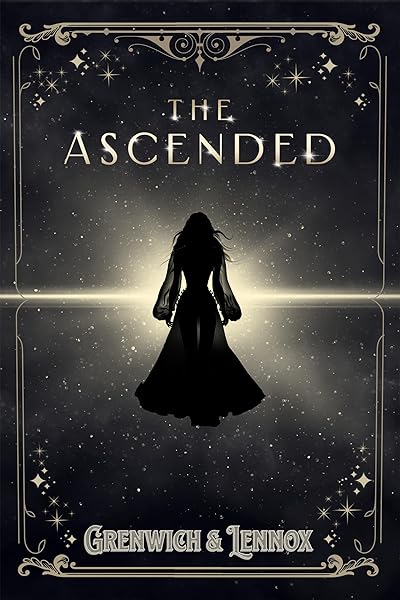
The Ascended (The Aesymarean Duet)

Hollow (Crown of Hearts and Chaos Book 1)

Eldritch (The Eating Woods)

The Bond That Burns: A Novel – A Spicy Romantasy and Dark Shifter Academy Story (Bloodwing Academy Book 2)
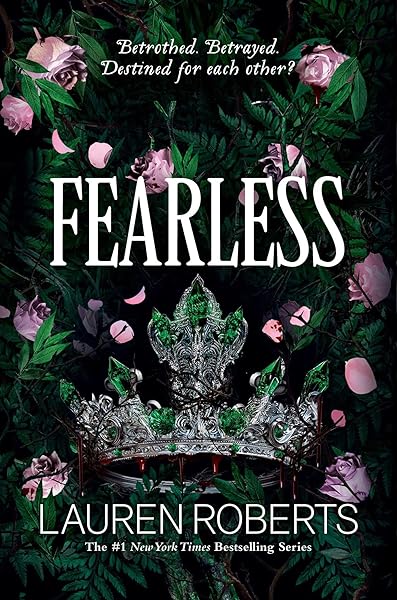
Fearless (The Powerless Trilogy)
If you've ever tried an AI plot generator, you probably had the same experience: you entered your genre and a character name, clicked "generate," and received a rigid, beat-by-beat outline that reads like a screenwriting template. Inciting incident at 12%. First plot point at 25%. Midpoint reversal at 50%. Dark night of the soul at 75%. Climax at 90%.
For a plotter, this is gold. For a pantser, it's a prison.
Discovery writers don't work that way. You start with a character, a situation, maybe a feeling — and you write to find out what happens next. The story emerges from the act of writing, not from a pre-determined structure. Imposing a rigid outline on a pantser's process doesn't just feel wrong — it actively damages the creative work. The writing becomes mechanical. The characters feel like they're hitting marks instead of making choices. The story loses its organic, surprising quality.
But here's the thing: AI can be extraordinarily useful for pantsers — just not in the way most AI plot tools are designed. The problem isn't AI. The problem is that most AI writing tools were built by plotters, for plotters. They assume you want a complete roadmap before you start writing. You don't.
What you actually need from AI is different. You need a brainstorming partner who can generate "what if" scenarios when you're stuck. You need a tool that can look at your existing pages and suggest where things might go — without insisting that you follow the suggestion. You need creative stimulation, not creative restriction.
This guide covers how to use AI plot generators as a pantser — on your terms, maintaining full creative control, using AI as a discovery tool rather than a planning tool.
How AI Plot Generators Actually Work
Before using any tool, it helps to understand what's happening under the hood. AI plot generators — including Dear Pantser's — use large language models (LLMs) like GPT-4, Claude, or Gemini to generate narrative structures based on prompts. But the way they're prompted and the way they present results makes an enormous difference for pantsers.
The plotter model (most tools):
You input genre, themes, character names, and a premise. The AI generates a complete outline: three or four acts, chapter-by-chapter summaries, character arcs, subplots. The output is a finished plan. The implicit assumption: you'll follow this plan as you write. Tools like Sudowrite's Story Engine, Plottr, and most generic "AI story generators" follow this model.
The pantser model (what actually works):
You input what you have so far — a character sketch, a scene you've written, a vague direction. The AI generates possibilities: multiple "what if" scenarios, character reactions, potential complications, thematic connections you might not have seen. The output isn't a plan — it's a menu of creative options you can accept, reject, or riff on. You stay in discovery mode because you're still making choices, not following instructions.
The technical difference is in the prompting. Plotter-mode prompts say "Generate a complete three-act structure." Pantser-mode prompts say "Given these characters and this situation, what are five interesting things that could happen next?" The first constrains. The second opens up.
Key insight: The best AI plot tool for a pantser isn't the one that generates the most detailed outline. It's the one that generates the most surprising and useful possibilities for what comes next. Quality of creative suggestions matters more than completeness of structure.
The "What If" Workflow: AI as Discovery Partner
Here's the practical workflow that works for pantsers. It's built on a single principle: AI generates options, you make choices.
Step 1: Write your opening.
Write the first scene, chapter, or even just the first few pages. Don't outline. Don't plan. Write the way you always write — follow the character, explore the situation, let the voice emerge. Get 1,000 to 5,000 words on the page. This is your raw material. No AI involved yet.
Step 2: Ask "what if" when you pause.
At the point where you'd normally stare at the screen, open a new browser tab, or reorganize your desk — that's when you bring in AI. Feed your existing pages to the plot generator and ask it to generate 3-5 possible directions the story could take. Not a complete plot. Just: "Given what's happened so far, what could happen next?"
Step 3: React emotionally to the suggestions.
This is the crucial step that separates pantser-style AI use from plotter-style. Don't evaluate the suggestions logically. Don't ask "which one is most structurally sound?" Instead, ask: "Which one excites me? Which one surprises me? Which one makes me think 'oh, I hadn't considered that'?" Your emotional reaction is the compass. If a suggestion makes you want to write the next scene immediately, it's the right one. If it feels flat or obvious, skip it.
Step 4: Write the next section.
Take the spark from the AI suggestion — maybe just a single element of it — and write. You might follow the suggestion closely or veer off in a completely different direction that the suggestion inspired. Both outcomes are valid. The AI's job isn't to direct you — it's to unstick you.
Step 5: Repeat when needed.
You don't need to use AI for every scene. Some scenes flow naturally. Some chapters write themselves. Use the "what if" step only when you feel stuck, uncertain, or curious about alternatives. For many pantsers, this happens every 3-5 chapters, not every scene.
Pro tip: Keep a running document of rejected AI suggestions. Sometimes a "what if" that doesn't fit chapter 3 becomes perfect for chapter 12. Your subconscious processes these seeds even when you consciously reject them.
Mystery — the genre built on "what if" questions


Maintaining Creative Control: The Pantser's Rules for AI
The biggest fear pantsers have about AI is losing ownership of the story. If the AI suggests the plot twist, is it still your story? The answer is yes — as long as you follow these rules.
Rule 1: Never accept a suggestion wholesale.
If the AI generates "Sarah discovers that her mentor has been secretly funding the terrorist organization," don't use that exact plot point as written. Instead, take the principle — "a trusted character has a hidden betrayal" — and make it yours. Maybe it's not the mentor. Maybe it's not funding terrorists. Maybe it's a smaller, more personal betrayal that fits your characters better. The AI provides raw material; you shape it.
Rule 2: Characters trump suggestions.
If an AI suggestion requires your character to act in a way that contradicts who they are, reject it. Always. No exceptions. Character consistency is the pantser's north star — it's the one structural element that discovery writing absolutely requires. An AI doesn't know your character the way you do. It can generate plausible plot events, but it can't judge whether those events are true to the character.
Rule 3: Use AI for problems, not for prose.
The best use of an AI plot generator is solving story problems: "I've backed my protagonist into a corner and can't see how she escapes." "The pacing feels slow in the middle and I need a complication." "I have three subplots that need to converge and I'm not sure how." These are structural challenges where AI's ability to see multiple possibilities at once is genuinely helpful. Don't use AI to write your actual scenes — that's where your voice lives.
Rule 4: Keep the AI one step behind.
Always write at least one scene ahead of where you last used AI. This ensures that your writing is leading and the AI is following. If you find yourself writing to match the AI's suggestion rather than writing to discover what happens, you've flipped the dynamic. The AI should be reacting to your pages, not the other way around.
Rule 5: No AI before the first draft is done for the day.
Start each writing session by writing. Not by consulting AI. Not by reviewing yesterday's suggestions. Write first. If you get stuck during the session, then bring in AI. This preserves the discovery-first workflow that makes pantsing work. If you start with AI, you start with structure — and structure before discovery kills the pantser's process.
AI for "What If" Exploration: Practical Prompts
The prompts you feed to an AI plot generator determine the quality and usefulness of the output. Here are the specific prompt patterns that work for pantsers, tested across hundreds of writing sessions.
The Divergent Path prompt:
"I've written [brief summary of what's happened so far]. My protagonist is [current situation]. Generate 5 completely different directions the story could take from this point. Make them range from subtle (small complication) to dramatic (major twist). Don't outline the full story — just the next major event or decision."
This prompt works because it explicitly asks for variety and explicitly limits scope. You're not asking for a complete plot — you're asking for the next fork in the road.
The Character Pressure prompt:
"My character [name] is [personality traits, motivations]. They're currently dealing with [situation]. What's the worst thing that could happen to them right now — not physically, but emotionally? What would force them to confront the thing they're most afraid of?"
This is the single most useful prompt for character-driven pantsers. It generates complications that emerge from character rather than plot mechanics. The results feel organic because they're rooted in who the character is.
The Missed Connection prompt:
"Here are the threads I've set up so far: [list of subplots, character relationships, unresolved questions]. Which two threads could intersect in an unexpected way? How?"
This prompt is gold for the middle of a novel, where pantsers often lose momentum because their threads are drifting apart. AI is genuinely excellent at finding connections between disparate story elements that you might not see because you're too close to the material.
The Escalation prompt:
"My story's current tension level is about [X/10]. It needs to be higher. What complications, revelations, or failures could raise the stakes without introducing a new subplot? I want to intensify what's already happening, not add new elements."
The constraint ("without introducing a new subplot") is crucial. Without it, AI tends to add new characters, new plot threads, new complications that balloon the story. For pantsers, who already tend to explore tangents, adding more threads is the opposite of helpful.
Prompt principle: Always constrain what you don't want. AI is naturally expansive — it will add more, not less. Tell it what to keep focused on, what not to introduce, and how limited in scope the answer should be. Shorter, more constrained outputs are more useful for pantsers than comprehensive ones.
Thrillers — masters of escalation


Tools Compared: What Works for Discovery Writers
Not all AI writing tools are equal for pantsers. Here's an honest comparison of the major options in 2026, evaluated specifically from a discovery writer's perspective.
Dear Pantser (our tool):
Built explicitly for pantsers. The plot generator produces flexible story frameworks rather than rigid outlines. You get a synopsis, character arcs, and chapter seeds — but each element is designed as a suggestion you can take or leave. The "what if" exploration is built into the workflow: generate, react, modify, write. Genre-aware generation means the AI understands that a romance plot needs different beats than a thriller. The biggest advantage: the tool integrates with the cover generator, blurb writer, and market analyzer, so your story development connects to your publishing workflow.
Sudowrite Story Engine:
Powerful but plotter-oriented. Story Engine generates detailed beat sheets with specific scene prescriptions. For pantsers, this feels restrictive. However, its "brainstorm" mode (separate from Story Engine) can generate useful what-if scenarios. The prose generation quality is high, but using AI-generated prose is a creative choice many pantsers reject.
ChatGPT / Claude (direct chat):
Maximum flexibility, minimum structure. You can use exactly the prompt patterns described above and get excellent results. The disadvantage: no genre-awareness, no persistent context (you have to re-explain your story each session), and no integration with publishing tools. For pantsers who want a pure conversational brainstorming partner and don't need tool integration, direct chat with a strong LLM is a viable (if manual) workflow.
Novelcrafter:
A middle ground. Novelcrafter maintains a "codex" of your story elements (characters, locations, plot points) and lets you query AI in context. It's more structured than raw chat but less prescriptive than Sudowrite. Good for pantsers who want to keep track of their expanding story world without committing to an outline.
NovelAI:
Focused on prose generation rather than plot generation. NovelAI excels at continuing your writing in your style, which can help pantsers get past blocks. However, it's more of a "write the next paragraph" tool than a "explore where the story could go" tool. Useful for momentum, less useful for strategic direction.
Our recommendation for pantsers: Use a dedicated plot tool for brainstorming sessions (when you need direction) and raw writing in your preferred editor for actual composition. Don't mix brainstorming and writing in the same tool — it creates a temptation to let AI write your scenes, which erodes the discovery process.
The Retrospective Plot: Using AI After You Write
Here's a technique that flips the entire AI plot generator paradigm — and it's perfect for pantsers.
Instead of using AI before you write to plan what comes next, use it after you write to understand what you've already done. This is the retrospective plot: writing first, analyzing second.
How it works:
Write 5-10 chapters with zero planning. Pure discovery. Then feed those chapters to an AI and ask: "What story am I telling? What are the emerging themes? Where are the threads that could pay off later? What promises have I made to the reader that I need to keep?"
The AI's analysis becomes a map of what you've already built — not a plan for what you should build next. This is enormously valuable for pantsers because it surfaces the subconscious patterns in your writing. You've been seeding themes, establishing character dynamics, and creating expectations without consciously planning them. The AI makes those patterns visible.
Why this works for pantsers:
It respects the discovery process completely. You don't consult AI until after the creative work is done. The analysis doesn't change what you've written — it illuminates it. And the insights help you write the next section with more awareness of the patterns already in play, without forcing you into a predetermined structure.
Practical application:
After your retrospective analysis, pick the 2-3 threads that excite you most. Make a mental note (or a brief, informal note — not an outline) that you want to develop those threads in the next writing section. Then close the AI tool and write. When you're stuck again, do another retrospective. Over the course of a novel, you'll have done 4-6 retrospective analyses, each one building on the previous one's insights.
The result: a novel that reads like it was carefully planned, but that was actually discovered through writing. The AI doesn't create the structure — it helps you see the structure your subconscious has already created.
Try it: Dear Pantser's Plot Generator supports retrospective analysis. Paste your existing chapters, and it will identify themes, character arcs, and story promises that you can develop in your next writing session — without imposing a rigid outline on what comes next.
Common Mistakes: How Pantsers Misuse AI
AI is a powerful tool, but it's easy to use it in ways that undermine your process. Here are the mistakes we see most often from pantsers using AI plot generators.
Mistake 1: Using AI to avoid the discomfort of being stuck.
Being stuck is part of the pantser's process. The discomfort of not knowing what happens next is what forces your subconscious to find unexpected solutions. If you reach for AI every time you hit a wall, you short-circuit this process. The result: your story is smoother but less surprising. Less yours. Use AI when you've been stuck for a full writing session (not 20 minutes), and only after you've tried writing through the block on your own.
Mistake 2: Generating too many options.
More is not better. If you generate 10 possible directions, you'll spend more time evaluating options than writing. Analysis paralysis is the pantser's kryptonite — you started pantsing specifically to avoid the paralysis that comes from over-planning. Limit yourself to 3-5 options per "what if" session. React quickly. Pick the one that excites you. Move on.
Mistake 3: Letting AI define your characters.
AI can suggest plot events, complications, and story directions. It should never define who your characters are. Character creation is the one area where the pantser's intuition is irreplaceable. An AI can generate a "complex, flawed female protagonist with a dark past and trust issues" — but that's a cliché, not a character. Your characters should emerge from your imagination, informed by your unique life experience and emotional intelligence. AI can pressure-test your characters (see the Character Pressure prompt above), but it shouldn't create them.
Mistake 4: Using AI-generated structure as a commitment.
If the AI suggests a midpoint twist and you write toward it for five chapters, but then a better idea emerges organically from your writing — follow the organic idea. Always. The AI's suggestion was a compass bearing, not a contract. The moment you feel obligated to follow an AI suggestion over your creative instinct, you've stopped pantsing.
Mistake 5: Ignoring your genre's reader expectations.
AI plot generators can suggest anything — including story directions that violate your genre's core promises. A romance without a happy ending. A mystery without a resolution. A thriller without escalating stakes. AI doesn't inherently understand genre contracts. That's your job. Always filter AI suggestions through the lens of "will this satisfy my genre's readers?"
Understand romance reader expectations → | Mystery reader expectations → | Thriller reader expectations →
Advanced Technique: The Story Bible as Living Document
Plotters create story bibles before they write. Pantsers can create story bibles while they write — and AI makes this surprisingly easy.
A story bible is a reference document containing your characters, settings, timeline, world-building details, and key plot points. For plotters, it's a planning document. For pantsers, it's a memory document — a record of decisions you've already made, so you don't contradict yourself in chapter 15 when you've forgotten a detail from chapter 3.
The AI-assisted story bible workflow:
After every writing session, feed your new pages to the AI and ask it to extract: new characters introduced, new locations mentioned, timeline details, world-building rules established, and unresolved questions raised. The AI compiles this into a running document that grows as your story grows.
This isn't planning. It's record-keeping. The difference is crucial. You're not deciding what will happen — you're documenting what has happened. But having this documentation prevents a problem that plagues pantsers: continuity errors. When your protagonist's eyes are blue in chapter 2 and green in chapter 18, readers notice. When a character references an event that happened on Tuesday but your timeline shows it was Thursday, editors catch it. A living story bible, maintained by AI, catches these inconsistencies while you're still writing — not in revision.
Integration with plot exploration:
When you do use AI for "what if" brainstorming, feed it the story bible along with your recent chapters. The AI will generate suggestions that are consistent with your established facts, characters, and world rules. This eliminates the biggest problem with AI suggestions: they often ignore or contradict what you've already written because they don't have the full context.
Getting started: Dear Pantser's Plot tool maintains a story bible that updates as you develop your story. Feed it chapters, and it extracts characters, settings, and plot threads automatically. When you need "what if" suggestions, the bible provides context so the AI's ideas are consistent with your world.
From Draft to Published: The Full Pantser + AI Workflow
Here's how everything fits together — the complete workflow from blank page to published book, for a pantser using AI as a discovery tool.
Phase 1: Pure discovery (chapters 1-5).
Write with zero AI. Let the story emerge. Find your character's voice. Establish the world. Don't worry about structure, pacing, or where the story is going. This is sacred creative time. No tools, no analysis, no suggestions. Just you and the page.
Phase 2: First retrospective (after chapter 5).
Feed your chapters to the AI for retrospective analysis. Identify emerging themes, character dynamics, and story promises. Start a story bible. Note the 2-3 threads that excite you most.
Phase 3: Guided discovery (chapters 6-15).
Continue writing in discovery mode, but use "what if" brainstorming when you hit walls. Update the story bible after each session. Do a retrospective every 3-5 chapters. You're still discovering the story, but you're aware of the patterns you're building.
Phase 4: Convergence (chapters 16-end).
Use the AI to identify threads that need resolution. Not to plan the resolution — just to list what needs resolving. Write toward emotional climax and resolution, letting the ending emerge from the character and situation you've built. Use "what if" sparingly here — by this point, the story usually knows where it's going.
Phase 5: Revision with clarity.
Feed the complete draft to AI for structural analysis. Where does pacing lag? Which promises weren't kept? Which characters disappear for too long? This is where AI is most valuable — as a first-pass editor that catches structural issues you can't see because you're too close to the text.
Phase 6: Cover and publishing.
Your story is done. Now use your story bible, genre, and theme data to generate a cover that matches the book's actual content — not a generic genre cover, but one informed by the specific mood and imagery of your story. Write a blurb. Analyze your market positioning. Generate your cover. Write your blurb. Check your market. Publish.
The complete toolkit: Dear Pantser was built for exactly this workflow. Plot Generator for brainstorming and retrospective analysis. Cover Generator for genre-matched covers. Blurb Writer for sales copy. Market Analyzer for positioning. Every tool supports the pantser's process — discovery first, structure second, publishing third.
Try Our AI Writing Tools
Generate blurbs, plot outlines, and more — designed for pantsers.
Try the Blurb WriterRelated Articles
Unlock the power of an AI blurb writer for books. Learn how to craft compelling, data-backed book blurbs that captivate readers and boost sales. Get actionable tips!
A complete guide to writing a novel without outlining. Discovery writing techniques, the headlights method, character-driven plotting, famous pantsers, and practical exercises.
Master Amazon book description formatting, keyword placement, above-the-fold optimization, A+ content, and mobile vs desktop display. Data-backed strategies from 2,500+ books analyzed.