
Best AI Book Cover Generators Compared (2026)
Honest comparison of AI book cover generators in 2026: Dear Pantser, BookBrush, Canva, Midjourney, and DALL-E. Genre accuracy, typography, dimensions, cost, and learning curve — with data from 2,500+ books analyzed.
The AI Cover Revolution (And Why Most Tools Still Miss the Mark)
AI image generation has transformed book cover design. What once required a $500-$2,000 investment in a professional designer can now be started in minutes, iterated in hours, and produced at a fraction of the cost. But "can generate an image" and "can produce a professional book cover" are very different things.
A book cover is not a pretty picture. It's a marketing asset with specific technical requirements: exact dimensions (1600x2560 for Kindle), genre-accurate visual language, readable typography at thumbnail size, and a composition that works both as a full-size image and a 200-pixel thumbnail in Amazon search results.
Most AI tools excel at image generation but fail at one or more of these book-specific requirements. We tested the five most popular approaches to AI-assisted cover creation, evaluating each on the criteria that actually matter for selling books on Amazon. Our analysis draws on insights from 2,500+ books across major genres — we know what covers look like in every category, and we know what readers expect.
This isn't a ranking. It's an honest assessment of what each tool does well, where it falls short, and who it's best suited for.
What professional fantasy covers actually look like

On Wings of Blood: A Novel (Bloodwing Academy Book 1)

Rain of Shadows and Endings (The Legacy)

A Tongue so Sweet and Deadly (The Compelling Fates Saga)

Shield of Sparrows: An Enemies-to-Lovers Epic Romantasy

We Who Will Die: An Epic Romantasy of Forbidden Love, Deadly Secrets, and Vampires in a High-Stakes Arena, Discover a Vividly Reimagined Ancient Rome (Empire of Blood Book 1)
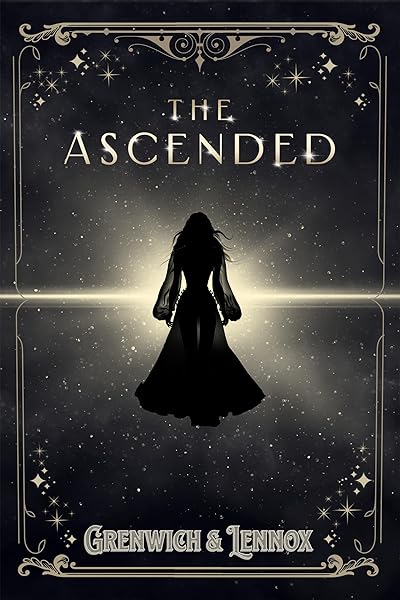
The Ascended (The Aesymarean Duet)

Hollow (Crown of Hearts and Chaos Book 1)

Eldritch (The Eating Woods)

The Bond That Burns: A Novel – A Spicy Romantasy and Dark Shifter Academy Story (Bloodwing Academy Book 2)
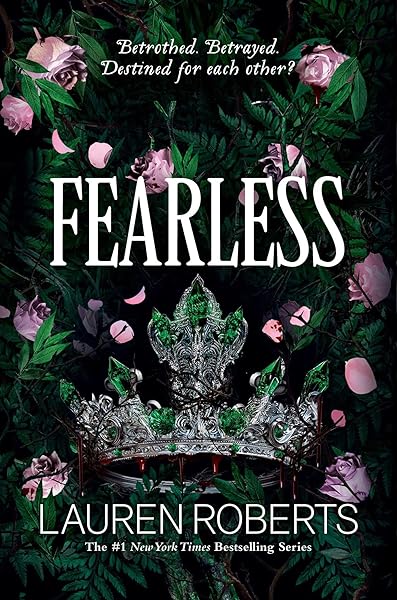
Fearless (The Powerless Trilogy)
What Makes a Book Cover Work (The Evaluation Criteria)
Before comparing tools, let's define what "works" means for a book cover. These five criteria are non-negotiable — a cover that fails on any one of them will cost you sales.
1. Genre Accuracy. Romance covers look like romance covers. Thriller covers look like thriller covers. This sounds obvious, but it's the most common failure point for AI-generated covers. A stunning fantasy illustration used on a cozy mystery signals the wrong reader. Genre readers make split-second judgments, and a cover that doesn't match their expectations is invisible — or worse, misleading.
2. Typography. The title and author name must be readable at thumbnail size (roughly 200 pixels wide). This eliminates most decorative fonts and requires careful size, weight, and placement choices. Typography is arguably more important than the image itself — a well-typeset title over a simple background outsells a beautiful illustration with unreadable text.
3. Technical Specifications. Amazon requires a minimum of 625x1000 pixels; the recommended size is 1600x2560 (1:1.6 ratio). The cover must be RGB color space, JPEG or TIFF format, with no bleed for ebooks. Any tool that can't output at these specifications creates extra work.
4. Cost Efficiency. For indie authors publishing 2-6 books per year, cover costs compound quickly. A tool that costs $50/cover versus $10/cover saves $240/year at 6 books — money better spent on advertising or editing.
5. Learning Curve. Time is the scarcest resource for indie authors. A tool that requires 20 hours of learning before producing usable results has a hidden cost that doesn't appear on the pricing page.
Dear Pantser: Built Specifically for Book Covers
Full disclosure: this is our tool. We'll be as honest about its limitations as its strengths.
What it does: Dear Pantser's Cover Generator is purpose-built for book covers. You describe your book — genre, mood, key visual elements — and the AI generates cover images with integrated typography, at the correct dimensions, using genre-appropriate design patterns derived from analysis of 2,500+ real Amazon bestsellers.
Genre accuracy: Strong. The system is trained on actual market data. It knows that romance covers use warm palettes and close-up imagery, that fantasy covers use rich illustration and layered typography, that thrillers use high-contrast dark designs. The genre templates aren't guesses — they're derived from what's selling right now in each category.
Typography: Integrated. Title and author name are part of the generation pipeline, not pasted on afterward. You can customize fonts, sizes, colors, and positions through the cover editor. Typography is readable at thumbnail size because the system accounts for it during generation.
Technical specs: Automatic. Covers generate at 1600x2560, RGB, ready for KDP upload without any manual conversion. Export handles format requirements automatically.
Cost: Credits-based. Cover generation uses the credit system included in your subscription tier. Multiple generations per credit for iteration and testing. Significantly cheaper than professional designers at volume.
Learning curve: Low. Designed for authors, not designers. Describe your book, pick a template, generate, customize, export. First usable cover in under 15 minutes.
Limitations: AI image generation has inherent unpredictability. Some prompts require 3-5 iterations to get the right result. The tool can't replicate the nuanced art direction of a top-tier human designer (though it matches or beats budget designers). Photo-realistic covers (common in romance and thriller) are improving but still behind dedicated stock photo + design approaches.
Romance covers from our generator


Fantasy covers from our generator
On Wings of Blood: A Novel (Bloodwing Academy Book 1)
Rain of Shadows and Endings (The Legacy)
A Tongue so Sweet and Deadly (The Compelling Fates Saga)
Shield of Sparrows: An Enemies-to-Lovers Epic Romantasy
We Who Will Die: An Epic Romantasy of Forbidden Love, Deadly Secrets, and Vampires in a High-Stakes Arena, Discover a Vividly Reimagined Ancient Rome (Empire of Blood Book 1)
BookBrush: Templates With Stock Photography
What it does: BookBrush is a web-based design tool specifically for authors. It provides book cover templates, stock photography integration, and a drag-and-drop editor. It's closer to a specialized Canva than an AI generator.
Genre accuracy: Good (template-dependent). BookBrush's templates are designed for book covers, so the layouts follow genre conventions. The quality depends heavily on which template you choose and which stock photos you pair it with. Experienced users produce professional results; beginners may struggle with photo selection.
Typography: Good. Built-in text tools with a solid font library. Text is manually placed, which gives you full control but requires design judgment. If you don't know that thriller titles should be large, bold, and high-contrast, the tool won't tell you.
Technical specs: Correct. Templates are pre-sized for Amazon and other retailers. Export in the right dimensions without manual work.
Cost: $10-$30/month depending on plan, plus stock photo costs if you go beyond included imagery.
Learning curve: Medium. Easier than Canva for book-specific tasks because the templates are purpose-built. But still requires design sensibility — the tool provides components, not creative direction.
Best for: Authors who want to design their own covers using stock photography and templates, with book-specific tools and dimensions. Works well for genres where photo covers dominate (romance, thriller, contemporary fiction).
Limitations: No AI image generation. You're working with stock photos and templates, which means your cover may share imagery with other books. In competitive genres where readers notice repeated stock photos, this can work against you.
Canva: The Generalist (With Book Templates)
What it does: Canva is a general-purpose design tool with a "Book Cover" template category. It offers drag-and-drop editing, a massive stock photo library, and recently added AI image generation through its Magic Studio features.
Genre accuracy: Variable. Canva's book cover templates exist but are limited compared to book-specific tools. The templates tend toward generic "clean" designs that work for nonfiction but miss genre conventions for fiction. A Canva romance cover rarely looks like a real romance cover without significant customization.
Typography: Good (with effort). Canva has an excellent font library and text editing tools. But again — it doesn't guide you toward genre-appropriate choices. You can create beautiful typography that's completely wrong for your genre.
Technical specs: Mostly correct. You can set custom dimensions (1600x2560), but Canva's default book cover template may not match Amazon's exact ratio. Always verify dimensions before export.
Cost: Free tier available; Pro at $12.99/month. The free tier is genuinely usable but limited in premium templates and stock photos. Pro unlocks everything and is worth it if you use Canva for multiple purposes (social media, ads, book covers).
Learning curve: Low. Canva is famously easy to learn. The challenge isn't learning the tool — it's learning enough about book cover design to use the tool effectively.
Best for: Authors who already use Canva and want to add simple cover creation to their existing workflow. Good for nonfiction covers, which have more flexible genre conventions.
Limitations: Not book-specific. The AI generation features produce images but not book covers — you're generating a background and then manually adding typography, which requires design skill. No genre intelligence, no market data integration, no cover-specific guidance.
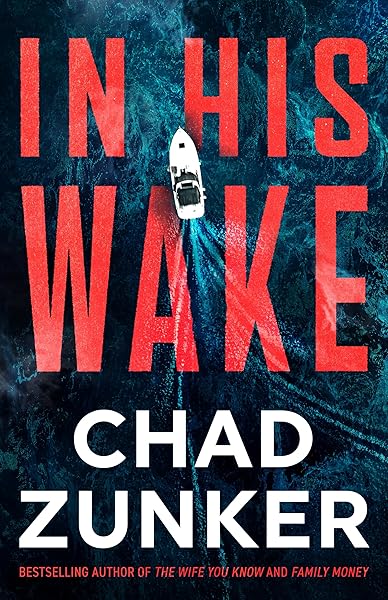
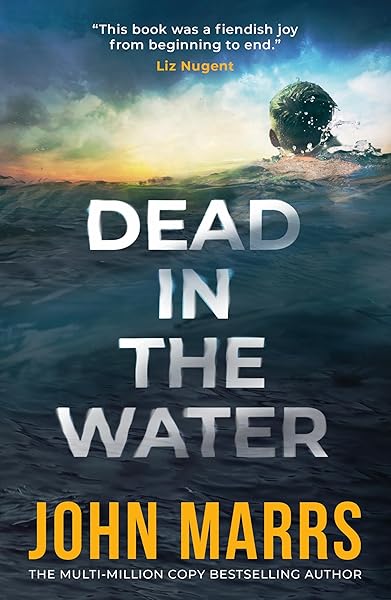
Professional mystery covers set a high bar


Midjourney: Stunning Art, Zero Book Cover Features
What it does: Midjourney is an AI image generator that produces extraordinarily high-quality artwork. It's the tool of choice for fantasy illustration, atmospheric scenes, and artistic imagery. Many book covers you've admired in the last two years started in Midjourney.
Genre accuracy: Exceptional for imagery, zero for covers. Midjourney can generate images that perfectly capture any genre's visual language — dark forests for fantasy, rain-slicked streets for noir thriller, sun-drenched meadows for romance. But it generates images, not covers. There's no typography, no title, no author name, no composition designed for book cover layout.
Typography: None. AI image generators notoriously fail at text rendering. Midjourney cannot produce readable text in images. You must add typography in a separate tool (Photoshop, Canva, BookBrush) after generating the background image. This is a significant additional step that requires design skill.
Technical specs: Manual. Midjourney generates images at various aspect ratios. You need to request the correct ratio (2:3 for book covers) in your prompt, then upscale and export at the right resolution. None of this is automated.
Cost: $10-$30/month for Midjourney subscription. Plus the cost of whatever tool you use for typography and final composition.
Learning curve: High. Prompt engineering for Midjourney is a skill unto itself. Getting consistent, genre-appropriate results requires understanding Midjourney's style tendencies, negative prompts, and parameter tuning. Expect 10-20 hours of learning before producing consistently usable results. Then you need design skills for the typography step.
Best for: Authors with design skills (or who hire a designer for typography) who want maximum control over the artistic direction of their cover. The Midjourney + Photoshop pipeline produces covers that rival professional design studios — if you have the skills for both tools.
Limitations: It's half a cover. The image may be stunning, but an image without professional typography is not a book cover. The two-tool workflow (Midjourney for image + another tool for type) doubles the time and skill requirement. Also: Midjourney's style has become recognizable. Readers are starting to identify "AI art" covers, which can carry stigma in some genres.
DALL-E (ChatGPT): Accessible but Inconsistent
What it does: DALL-E (integrated into ChatGPT Plus) generates images from text prompts. It's the most accessible AI image generator because it's built into ChatGPT, which many authors already use.
Genre accuracy: Moderate. DALL-E can produce genre-appropriate imagery but tends toward a flatter, more illustrative style than Midjourney. It's better at clean, graphic compositions than photorealistic or painterly styles.
Typography: Limited. DALL-E has improved its text rendering capabilities, but results are inconsistent. Simple titles (1-2 words) sometimes render correctly; longer titles and author names frequently contain errors. You cannot rely on DALL-E for production typography.
Technical specs: Limited control. DALL-E generates at fixed resolutions. You can request specific aspect ratios, but output resolution may not meet Amazon's 1600x2560 requirement without upscaling (which can introduce artifacts).
Cost: Included with ChatGPT Plus ($20/month). If you already subscribe to ChatGPT, cover generation has no additional cost. This makes it the cheapest option for authors already in the OpenAI ecosystem.
Learning curve: Low. If you can describe what you want in natural language, you can generate images. The challenge is the same as Midjourney: getting from "a nice image" to "a professional book cover" requires additional tools and skills.
Best for: Quick concept exploration. DALL-E is excellent for visualizing cover ideas before investing in a more polished tool. It's also useful for social media graphics and marketing materials where the bar is lower than a product page cover.
Limitations: Inconsistent quality between generations. The same prompt can produce excellent results one time and unusable results the next. Typography is unreliable. Resolution is limited. Like Midjourney, it produces images, not complete book covers.
Thriller covers demand precision

Horror covers need atmosphere

The First Witch of Boston: A Novel
On Wings of Blood: A Novel (Bloodwing Academy Book 1)
We Who Will Die: An Epic Romantasy of Forbidden Love, Deadly Secrets, and Vampires in a High-Stakes Arena, Discover a Vividly Reimagined Ancient Rome (Empire of Blood Book 1)
The Ascended (The Aesymarean Duet)
Eldritch (The Eating Woods)
The Comparison Matrix
Here's how the five approaches stack up across our evaluation criteria:
Genre Accuracy: Dear Pantser (data-driven templates) > Midjourney (prompt skill) > BookBrush (template-dependent) > DALL-E (moderate) > Canva (generic templates).
Typography: Dear Pantser (integrated) = BookBrush (manual, good tools) > Canva (manual, good tools) > DALL-E (unreliable) > Midjourney (none).
Technical Specs: Dear Pantser (automatic) = BookBrush (automatic) > Canva (mostly correct) > DALL-E (limited) > Midjourney (manual).
Image Quality: Midjourney (exceptional) > Dear Pantser (strong) > DALL-E (good) > BookBrush (stock-dependent) > Canva (stock-dependent).
Cost (per cover): DALL-E (lowest if you have ChatGPT) < Dear Pantser (credits) < Canva Free < BookBrush ($10-30/mo) < Canva Pro < Midjourney + design tool.
Learning Curve: Canva (lowest) < Dear Pantser (low) < BookBrush (medium) < DALL-E (low but limited) < Midjourney (high).
Time to Finished Cover: Dear Pantser (15-30 min) < BookBrush (30-60 min) < Canva (30-60 min) < DALL-E + design tool (1-2 hours) < Midjourney + design tool (2-4 hours).
When to Use Each Tool (Decision Framework)
The "best" tool depends on who you are and what you need. Here's a straightforward decision framework:
Use Dear Pantser if: You want a complete book cover (image + typography + correct specs) in one tool, you don't have design training, and you value genre accuracy over maximum artistic control. Best for indie authors publishing 2+ books per year who need professional results efficiently. Try the Cover Generator.
Use BookBrush if: You're comfortable selecting stock photos and have basic design sensibility. You want a book-specific tool with templates that handle dimensions and layout. Best for authors who write in photo-cover genres (romance, thriller, contemporary) and enjoy the design process.
Use Canva if: You already use Canva for other purposes and want to add cover creation to your workflow. You're willing to learn book cover design principles independently. Best for nonfiction authors and those who need one tool for all their visual marketing.
Use Midjourney + Photoshop/Canva if: You have design skills (or a designer partner), you want maximum control over the artistic direction, and you're willing to invest time in prompt engineering and multi-tool workflows. Best for authors in illustration-heavy genres (fantasy, sci-fi, literary) who treat cover creation as a craft.
Use DALL-E/ChatGPT if: You need quick concept exploration, you're testing cover directions before committing, or you need social media graphics alongside cover ideas. Best as a starting point, not an endpoint.
The honest truth: the tool matters less than the genre awareness behind it. A mediocre tool used by someone who deeply understands their genre's visual language will produce better covers than a cutting-edge tool used by someone who doesn't. Whatever tool you choose, start by studying the covers that are actually selling in your genre. Browse the Market Intelligence database, visit your genre's genre page, and internalize the patterns before you generate a single image.
The covers that sell books aren't the prettiest — they're the ones that tell the right reader, in a fraction of a second, "this book is for you."
Genre accuracy beats artistic perfection every time
On Wings of Blood: A Novel (Bloodwing Academy Book 1)
Rain of Shadows and Endings (The Legacy)
A Tongue so Sweet and Deadly (The Compelling Fates Saga)
Shield of Sparrows: An Enemies-to-Lovers Epic Romantasy
We Who Will Die: An Epic Romantasy of Forbidden Love, Deadly Secrets, and Vampires in a High-Stakes Arena, Discover a Vividly Reimagined Ancient Rome (Empire of Blood Book 1)
The Ascended (The Aesymarean Duet)
Hollow (Crown of Hearts and Chaos Book 1)
Eldritch (The Eating Woods)
Start Publishing with Dear Pantser
AI covers, market analysis, blurb writer, and plot tools — all in one place.
Get StartedRelated Articles
Unlock the power of Amazon Ads for authors. Learn how to set up, optimize, and scale your campaigns for profitability, starting with just $5 a day.
Unlock the secrets to creating high-quality audiobooks in 2026, blending AI narration with traditional methods. Learn about tools, platforms, and best practices for indie authors.
The complete toolkit for self-publishing in 2026. Writing, covers, formatting, marketing, and market research — with honest pricing.