
Book Formatting for Kindle KDP: The Complete 2026 Guide
Master KDP book formatting for Kindle in 2026! Learn best practices, tools, and tips to create professional eBooks and paperbacks that readers love. Avoid common formatting errors.
Why Professional KDP Book Formatting is Crucial for Indie Authors
In the competitive landscape of indie publishing, a professionally formatted book isn't just a nice-to-have; it's a non-negotiable. Readers, accustomed to the polished presentations of traditional publishers, expect a seamless reading experience. Poor formatting can lead to negative reviews, returns, and a loss of sales, directly impacting your author career. Data shows that books with formatting issues are 3x more likely to receive 1-star reviews specifically mentioning presentation, regardless of the story's quality. This guide will walk you through the essential steps and best practices for mastering KDP book formatting in 2026, ensuring your eBook and paperback stand out for all the right reasons.
Amazon KDP (Kindle Direct Publishing) offers a powerful platform for authors, but it also places the responsibility of quality control squarely on your shoulders. Understanding KDP's specific requirements for both reflowable eBooks (Kindle) and fixed-layout print books is paramount. We'll explore the tools and techniques that empower you to transform your manuscript into a polished product, ready to captivate your audience.
Understanding KDP's Core Formatting Requirements
Before diving into the nitty-gritty, it's essential to grasp the fundamental differences between eBook and print book formatting for KDP. Kindle eBooks are primarily 'reflowable,' meaning the text adjusts to different screen sizes, fonts, and reader preferences. This flexibility is a strength, but it also means you surrender some control over the precise page layout. Print books, on the other hand, are 'fixed-layout,' requiring precise control over margins, page breaks, and visual elements to ensure a consistent physical product.
Amazon provides detailed guidelines, which are updated periodically. As of early 2026, key requirements include using standard fonts, maintaining consistent paragraph spacing, proper heading hierarchy, and ensuring all images are high-resolution (300 DPI for print, 72 DPI for eBook but optimized for clarity). Ignoring these foundational elements can lead to rejection during the publishing process or, worse, a subpar product that frustrates your readers.
EBook Formatting for Kindle: Best Practices and Tools
Formatting your eBook for Kindle is about creating a clean, readable, and adaptable digital file. The goal is to let the reader customize their experience without breaking your book's structure. The most common file formats accepted by KDP for eBooks are DOCX (Microsoft Word), EPUB, and KPF (Kindle Create's proprietary format). While Word is accessible, dedicated formatting tools often provide cleaner results.
For reflowable eBooks, focus on logical structure. Use Styles (Heading 1, Heading 2, Normal) in Word or equivalent semantic tags in EPUB for consistent formatting. Avoid manual spacing with multiple spaces or tabs; use paragraph indents instead. Ensure images are correctly sized and aligned, and consider how they'll appear on various devices. Hyperlinks, especially internal ones to a table of contents or external ones to your author website, should be tested meticulously. For more on optimizing your book's discoverability, check out our guide on marketing your book.
Option 1: Using Microsoft Word for Kindle EBooks
Microsoft Word is a common starting point for many authors. To format effectively for Kindle, begin with a clean document. Remove all unnecessary formatting, 'Track Changes', and comments. Use Word's built-in 'Styles' for headings (Heading 1 for chapter titles, Heading 2 for subheadings) and body text (Normal). This creates a navigable structure for KDP's conversion process. Set paragraph indents (typically 0.3" to 0.5") instead of using the tab key. Ensure line spacing is consistent (single or 1.15 lines are common). Use page breaks (Ctrl+Enter) for new chapters, not multiple paragraph returns. Save your final document as a .docx file for KDP upload.
Option 2: Leveraging Kindle Create for EBooks
Kindle Create is a free tool from Amazon designed to help authors format their books specifically for Kindle devices. It supports both reflowable and comics/manga/picture book formats. You can import your .docx file, and Kindle Create will help you apply themes, add a table of contents, and preview your book on various Kindle devices. It's particularly useful for authors who want a guided experience and don't mind being locked into Amazon's ecosystem. While it simplifies many aspects, it offers less control than a professional EPUB editor. The output is a .kpf file, which you upload directly to KDP.
Option 3: Professional EPUB Editing Software (e.g., Calibre, Sigil)
For ultimate control and to create a universally compatible eBook file, learning to use EPUB editing software like Calibre (free) or Sigil (free) is highly recommended. These tools allow you to directly manipulate the underlying HTML and CSS of your eBook. This is where you can fine-tune every aspect, from font embedding (if necessary and licensed) to precise image placement and advanced styling. While there's a steeper learning curve, the result is a highly optimized and robust EPUB file that often converts more cleanly across all platforms, not just Kindle. Many professional formatters use these tools for their precision and flexibility.
Print Book Formatting for KDP: Mastering the Physical Product
Print book formatting is a different beast entirely. Here, you're designing a fixed layout that will be printed exactly as you specify. This means meticulous attention to margins, page size, font choices, and image resolution. KDP offers various trim sizes, from standard 6x9 inches for novels to larger sizes for non-fiction or children's books. Your choice of trim size will dictate your margin requirements and overall page count. For instance, a 6x9 book typically requires a minimum inside margin of 0.375 inches for books up to 150 pages, increasing to 0.625 inches for books over 700 pages to accommodate the 'gutter' (the part of the page that disappears into the spine).
Remember that your print book needs a high-resolution print-ready PDF. This is where the details truly matter. A single misplaced element or low-resolution image can ruin the professional appearance of your physical book. For more insights on visual appeal, consider how your book cover will complement the interior design.
Choosing Your Trim Size and Margins
The trim size is the final size of your printed book. Common choices include 5x8", 5.25x8", 5.5x8.5", and 6x9". Your genre often influences this choice; for example, 6x9" is popular for many novels. Once you select a trim size, KDP provides specific margin requirements. You'll need an 'inside' margin (gutter), 'outside' margin, 'top' margin, and 'bottom' margin. The inside margin is particularly important as it needs to be larger to prevent text from being lost in the spine. For books with more pages, the inside margin needs to be even larger to ensure readability as the book opens. KDP's 'Bleed' option (extending images or elements past the trim line) is crucial for full-bleed designs; if you're using bleed, your PDF needs to be slightly larger than your trim size.
Font Selection and Consistency for Print
For print books, readability is paramount. Choose professional, legible fonts. Serif fonts (like Garamond, Times New Roman, or Palatino) are traditionally preferred for body text in print because the serifs help guide the eye across the page. Sans-serif fonts (like Calibri, Arial, or Helvetica) are often used for headings or non-fiction. Stick to 1-2 primary fonts throughout your book for a cohesive look. Body text size typically ranges from 10pt to 12pt, depending on the font and trim size. Ensure all fonts are embedded in your final PDF to prevent substitution issues during printing.
Using Professional Layout Software (e.g., InDesign, Affinity Publisher)
While Word can be used for simple print books, professional layout software like Adobe InDesign or Affinity Publisher offers unparalleled control over your print book's design. These tools are built for page layout, allowing precise control over text flow, image placement, typography, and master pages. They enable you to create truly professional-grade PDFs with correct bleeds, crop marks, and embedded fonts. The learning curve is steeper, but the quality difference is significant, particularly for books with complex layouts, such as non-fiction with lots of images or intricate fantasy maps.
Common Formatting Pitfalls and How to Avoid Them
Even experienced authors can fall prey to common formatting errors. Being aware of these traps can save you hours of frustration and ensure a smoother publishing process. One of the most frequent mistakes is using too many fonts or inconsistent font sizes, which makes a book look amateurish. Another is failing to properly embed fonts in the print PDF, leading to text reflow or garbled characters.
For eBooks, a major pitfall is relying on manual spacing (multiple spaces, tabs) instead of proper paragraph indents and styles. This often breaks when the reader changes font size or device. For print, incorrect margin settings, especially the gutter margin, can result in text being cut off or too close to the spine, making the book difficult to read. Always proofread your formatted file on multiple devices and as a printed proof copy before final approval.
Books that need meticulous formatting

Beautiful Venom: A Dark Hockey Romance (Vipers Book 1)

Kiss The Villain: A Dark MM Enemies to Lovers Romance

Rain of Shadows and Endings (The Legacy)

Storm of Secrets and Sorrow (The Legacy Book 2)

A Tongue so Sweet and Deadly (The Compelling Fates Saga)
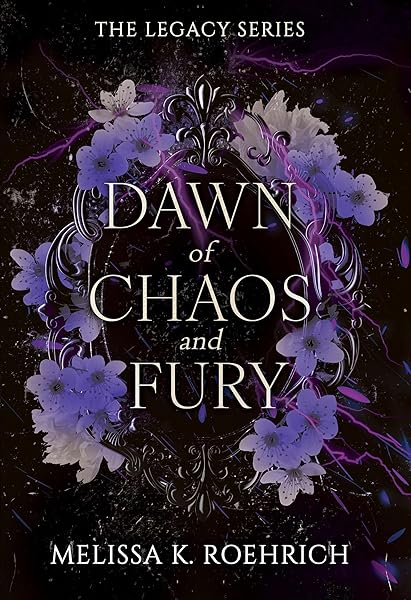
Dawn of Chaos and Fury (The Legacy Book 4)
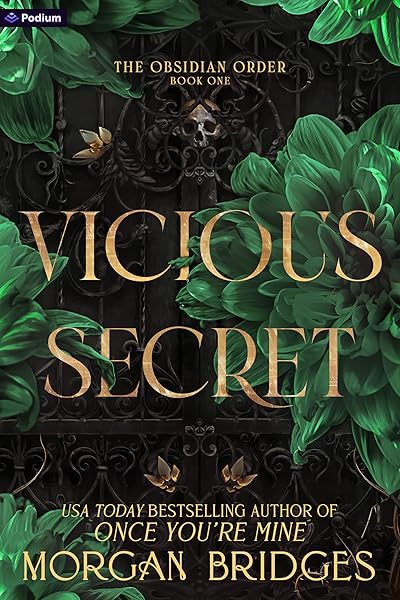
Vicious Secret: A Dark Romance (The Obsidian Order Book 1)

Blackthorn: A Dark Gothic Romance

Wicked Altar: A Dark Irish Mafia Arranged Marriage Romance (The McCarthy Family Legacy)

HIDE AND SEEK: A Dark Stalker Romance (Hide and Seek Series Book 1)
Pre-Publication Checklist: Ensuring Your Book is Ready
Before hitting that 'publish' button, a thorough review is non-negotiable. This checklist will help you catch any last-minute errors and ensure your book meets KDP's standards and your readers' expectations. Skipping this step is a common cause of post-publication headaches and negative reviews.
After formatting, always generate a preview on KDP. For eBooks, use the online previewer and download the 'Kindle Previewer' app to see how your book looks on different devices (e.g., Kindle Paperwhite, Fire tablet, phone). For print books, always order a physical proof copy. This is the only way to truly see how your book will look and feel in readers' hands. It's an investment that pays dividends in quality assurance.
EBook Specific Checklist Items
- Table of Contents (TOC): Is it clickable and does it link to the correct chapters?
- Internal Links: Do all internal links (e.g., 'Also by this author') work?
- External Links: Are all external links (e.g., website, social media) correct and functional?
- Image Optimization: Are images clear, correctly sized, and not pixelated? Do they have alt-text for accessibility?
- Reflowable Text: Does the text reflow correctly when font size or orientation changes?
- Device Compatibility: Have you checked the preview on multiple device types and screen sizes?
Print Book Specific Checklist Items
- Trim Size & Margins: Do they match KDP requirements and your design? Is the gutter sufficient?
- Bleed: If applicable, is the bleed correctly extended beyond the trim lines?
- Font Embedding: Are all fonts embedded in the PDF?
- High-Resolution Images: Are all images 300 DPI or higher?
- Page Numbers: Are they consistent and correctly placed?
- Blank Pages: Are blank pages (e.g., verso of chapter titles) intentionally placed?
- Physical Proof: Have you ordered and thoroughly reviewed a physical proof copy for any printing errors, color issues, or text cut-offs?
Advanced Formatting Tips for a Polished Look
Once you've mastered the basics, there are several advanced techniques that can elevate your book's professional appearance. These aren't strictly necessary but can make a significant difference in reader perception and overall aesthetic. Consider these if you want to go the extra mile.
Books with high-quality formatting often sell better


Drop Caps and Small Caps
Drop caps (the first letter of a chapter that is larger and drops into the lines below) and small caps (capital letters that are the same height as lowercase letters) can add a touch of elegance to your chapter openings. These should be implemented carefully using CSS in EPUB or specific features in layout software. Avoid manual creation in Word as it can lead to reflow issues.
Chapter Heading Designs
Beyond simple text, unique chapter heading designs can reinforce your book's genre and brand. This might involve custom fonts (ensuring they are licensed and embedded), decorative elements, or even small graphic icons. Ensure consistency across all chapters and that these elements don't interfere with readability or KDP's conversion process.
Front and Back Matter Enhancement
Don't overlook your front matter (title page, copyright, dedication, table of contents) and back matter (author bio, 'also by' page, acknowledgments). These sections offer opportunities for branding and reader engagement. Ensure your 'also by' page is well-formatted and includes clickable links for eBooks, encouraging readers to explore your other works. For tips on crafting compelling blurbs, read our guide on writing effective book descriptions.
The Future of Book Formatting: AI and Automation (2026 Outlook)
As we look to 2026 and beyond, AI and automation are increasingly impacting the self-publishing landscape. While a human touch remains invaluable for nuanced design, AI-powered tools are emerging to streamline the formatting process. We're seeing advancements in tools that can automatically detect and correct common formatting errors, suggest optimal layouts based on genre, and even generate basic EPUB or PDF files from raw manuscripts with higher accuracy than ever before.
However, it's crucial to approach these tools with a discerning eye. While they can save time, they may not yet fully grasp the artistic nuances or complex requirements of every book. Authors should view AI as an assistant rather than a complete replacement for understanding formatting principles. The core tenets of clean, readable, and accessible design will always remain paramount, regardless of the tools used to achieve them. For a deeper dive into AI's role in publishing, explore our AI in writing articles.
Conclusion: Your Path to Perfectly Formatted Books
Professional book formatting for Kindle KDP is an investment in your author brand and your readers' satisfaction. By understanding the distinctions between eBook and print formatting, leveraging the right tools, and meticulously reviewing your work, you can create books that look and feel professionally produced. Remember, a poorly formatted book is a barrier between your story and your audience. A well-formatted one invites them in, enhancing their reading experience and encouraging them to return for more.
The effort you put into formatting reflects your dedication to your craft and your respect for your readers. Embrace the process, utilize the resources available, and take pride in presenting a polished product that stands tall on the digital and physical shelves of Amazon. Happy formatting!
Start Publishing with Dear Pantser
AI covers, market analysis, blurb writer, and plot tools — all in one place.
Get StartedRelated Articles
Master your Amazon book categories strategy to reach the right readers. Learn how to select and optimize Kindle categories for maximum visibility and sales.
Unlock the power of Amazon Ads for authors. Learn how to set up, optimize, and scale your campaigns for profitability, starting with just $5 a day.
Unlock the secrets to creating high-quality audiobooks in 2026, blending AI narration with traditional methods. Learn about tools, platforms, and best practices for indie authors.