
AI Book Cover Generator: Complete Guide (2026)
How AI book cover generators work, what they cost vs traditional designers, and when to use each option. Based on analysis of 2,500+ bestselling covers across 27 genres.
The Cover Problem Every Indie Author Faces
AI-generated covers matching genre conventions


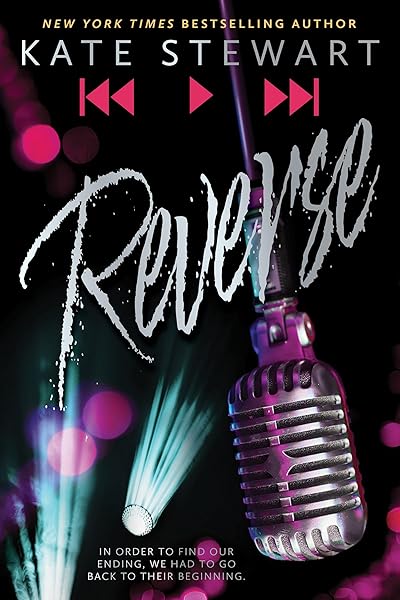
Every indie author hits the same wall. You've spent months — maybe years — writing your book. Now you need a cover. A professional designer costs $300 to $1,500. You're publishing your first book, you have no guarantee it'll earn that back, and you need the cover before you can start selling.
This is the problem AI book cover generators solve. In 2026, AI image generation has reached a point where a well-prompted cover can stand alongside traditionally designed covers on Amazon's search results page. Not every time. Not for every genre. But often enough that the economics of indie publishing have shifted permanently.
We analyzed 2,500+ books from Amazon bestseller lists across 27 genre categories. We studied what makes covers sell, where AI generators excel, where they still fall short, and exactly when each approach — AI, DIY, premade, or custom designer — makes financial sense.
This guide covers the full landscape: how these tools actually work under the hood, real cost comparisons with numbers, genre-by-genre suitability, and a practical framework for deciding which approach fits your situation.
How AI Book Cover Generators Actually Work
AI cover generators aren't a single technology — they're a pipeline of multiple AI systems working together. Understanding how they work helps you use them effectively and recognize their limitations.
Image Generation Models
At the core is a diffusion model — the same family of technology behind Midjourney, DALL-E, and Stable Diffusion. You provide a text prompt ("a dark forest at twilight with mist rising between ancient oaks"), and the model generates a unique image. No stock photos, no licensing issues, no other book sharing your exact cover image.
The leading models in 2026 — Flux, Google's Imagen, and others available through API providers — produce photorealistic or stylized images at resolutions suitable for print (2400x3840px or higher). The quality gap between AI-generated and stock-photo-based covers has narrowed dramatically. In a blind test, most readers cannot distinguish between a well-prompted AI cover image and a professionally shot photograph.
But image generation is only the first step. A raw AI image is not a book cover.
The Composition Layer
A book cover is image + typography + layout. The image generation model creates the background artwork, but the composition engine handles everything else: placing the title, positioning the author name, applying text effects, ensuring contrast, and outputting the final file at the correct dimensions.
This is where most free AI cover tools fail. They generate a pretty image and slap some text on top. Professional tools use a proper typography pipeline: font pairing based on genre conventions, kerning adjustments, drop shadows or contrast bars for readability, and layout templates that follow the visual grammar readers expect in each genre.
In our analysis of 2,500+ bestselling covers, the typography was the clearest differentiator between professional and amateur covers — not the background image. A mediocre background image with excellent typography reads as professional. A stunning AI image with bad typography reads as amateur.
Prompt Engineering for Covers
The quality of an AI-generated cover depends almost entirely on the prompt. "A fantasy book cover" produces generic results. A prompt enriched with genre conventions, mood descriptors, composition instructions, and technical parameters produces results that match what readers expect to see.
Effective cover prompts include: the specific sub-genre visual style ("dark academia aesthetic"), composition direction ("single figure centered, negative space above for title"), lighting ("cinematic volumetric lighting from the upper left"), and technical specs ("high detail, sharp focus, 2:3 aspect ratio"). The difference between a novice prompt and an expert prompt is often the difference between a cover that looks AI-generated and one that looks professionally commissioned.
Tip: Study the top 20 covers in your sub-genre before writing your prompt. Describe what you see — not your plot — to the AI. What colors dominate? What's the central image? Where is the light source? What's the mood? Feed those observations into your prompt.
Cost Comparison: AI vs Traditional Design
The cost difference is staggering, but raw price doesn't tell the full story. Let's break down what you actually get at each price point.
AI generators ($0.50 - $5 per cover): You get a unique AI-generated background image composed with professional typography. At the low end, you're using a tool with preset templates and limited customization. At $3-5, you're using a tool with genre-aware prompt enrichment, multiple variations to choose from, and full control over typography, layout, and color. The per-cover cost is dominated by the AI image generation API call. You can generate 10 variations and pick the best one for under $5 total.
Premade covers ($50 - $200): A designer creates a cover using stock photos, then sells it once. You get professional typography and layout, but the background image is from a stock photo library — other books may use the same source image (though usually not the same composition). Premade covers are a solid middle ground: professional quality at a fraction of custom design cost. The limitation is selection — you're choosing from what exists, not getting something designed for your specific book.
Custom designer ($300 - $1,500): A professional designs your cover from scratch. They source or create the imagery, handle typography, produce print-ready files, and typically include 2-3 rounds of revision. At $300-500, you're working with a competent freelancer. At $800-1,500, you're working with an established cover designer who knows your genre's conventions intimately.
Top-tier designer ($1,500 - $5,000): Reserved for bestselling authors, major imprints, or authors who know their book will earn the investment back. These designers have recognizable portfolios and often a waitlist.
The ROI Calculation
A cover's job is to convert browsers into buyers. In our dataset of 2,500+ bestselling books, the average romance novel earns an estimated $7.58 per sale at a median page count of 414 pages. The average fantasy novel earns $11.67 at 469 pages. Thrillers sit at $8.86 with 350 pages.
If your cover converts just 40 additional readers over its lifetime (a conservative number for a book with any marketing at all), that's $303 in romance, $467 in fantasy, or $354 in thrillers. A $300 designer pays for itself. An AI cover at $3 pays for itself with a single additional sale.
The math changes dramatically for series authors. If you're publishing a 5-book series, you need 5 covers that look cohesive. Five custom designs at $500 each = $2,500. Five AI-generated covers with consistent styling = $15-25. For a first-time series author testing the market, AI covers reduce financial risk from "significant" to "negligible."
The real question isn't "can I afford a designer?" It's "what's my risk tolerance?" If you're publishing your first book with no audience, AI covers let you test the market without financial stress. If you have a proven series earning steady income, investing in a designer for a rebrand is a calculated bet with known upside.
Genre Suitability: Where AI Covers Excel
AI cover generators don't perform equally across all genres. Some genres have visual conventions that AI handles naturally. Others have requirements that push current AI models to their limits. Here's the genre-by-genre breakdown based on our analysis.
Romance: AI-friendly genre
Bad Bishop: A Dark Mafia Romance (Society of Villains Book 1)
Till Summer Do Us Part
Rewind It Back (Windy City Series Book 5)
Say You'll Remember Me
The Wild Card: a single dad hockey romance
Picking Daisies on Sundays
The Fall Risk: A Short Story
King of Depravity: Dark Steamy Mafia/Billionaire Romance (Kings of Las Vegas Book 1)
The Mysterious Bakery on Rue de Paris: An Enchanting and Escapist Novel from the Internationally Bestselling author of The Lost Bookshop for 2025
The Butcher (Fifth Republic Series Book 1)
Fantasy: AI-friendly genre

On Wings of Blood: A Novel (Bloodwing Academy Book 1)

Rain of Shadows and Endings (The Legacy)

A Tongue so Sweet and Deadly (The Compelling Fates Saga)

Shield of Sparrows: An Enemies-to-Lovers Epic Romantasy

We Who Will Die: An Epic Romantasy of Forbidden Love, Deadly Secrets, and Vampires in a High-Stakes Arena, Discover a Vividly Reimagined Ancient Rome (Empire of Blood Book 1)
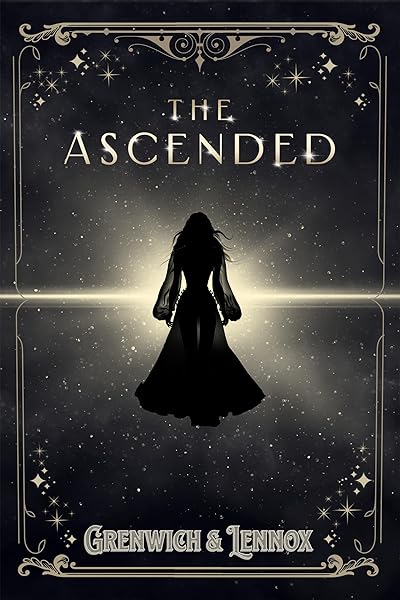
The Ascended (The Aesymarean Duet)

Hollow (Crown of Hearts and Chaos Book 1)

Eldritch (The Eating Woods)

The Bond That Burns: A Novel – A Spicy Romantasy and Dark Shifter Academy Story (Bloodwing Academy Book 2)
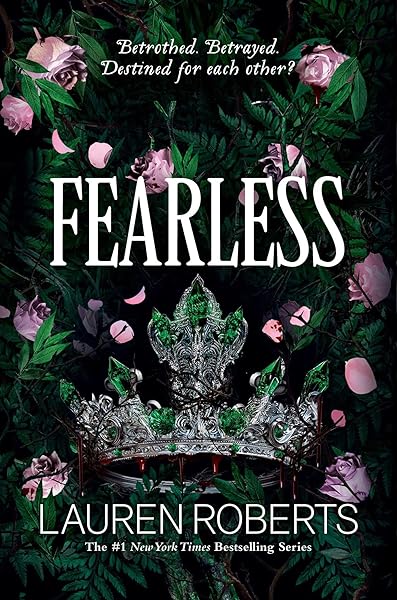
Fearless (The Powerless Trilogy)
AI-Excellent Genres
Fantasy & Sci-Fi. AI models excel at generating atmospheric landscapes, magical environments, spaceships, alien worlds, and mythic scenes. These genres rely on mood and environment rather than specific character likeness. Our dataset shows 19.4 million fantasy readers on Goodreads — the market is enormous, and AI can produce covers that compete with traditionally designed ones. Fantasy covers also benefit from rich textures and dramatic lighting, both of which diffusion models handle exceptionally well.
Horror & Dark Fiction. Atmospheric, moody, and abstract — exactly what AI does best. Horror covers rely on shadows, unsettling environments, and suggestive imagery rather than specific scenes. With 60% of horror books in Kindle Unlimited and an average price of $7.36, the genre's economics strongly favor low-cost AI covers. The typical horror cover aesthetic (dark, textured, atmospheric) is well within current AI capabilities.
Thriller & Mystery. Isolated figures, urban landscapes, dark environments, minimal elements. Thriller conventions align well with AI strengths. At 36% KU enrollment and $8.86 average price, thrillers have healthy margins that make AI covers a smart first step.
Literary Fiction. Abstract imagery, artistic compositions, and conceptual covers — the literary fiction aesthetic is practically designed for AI generation. These covers prize uniqueness and artistic merit over genre convention conformity.
AI-Challenging Genres
Romance (character-focused). Here's the nuance: romance covers that feature environments (a cottage by the sea, a sunset cityscape, a cozy bookshop) work beautifully with AI. But romance sub-genres that demand specific attractive characters — especially close-up faces and bare torsos — push AI models harder. AI faces can fall into the uncanny valley. AI-generated people sometimes have subtle anatomical issues (hands, proportions) that readers notice subconsciously. That said, 58% of romance titles are in KU with an average price of $7.58 — the economics favor testing with AI before committing to a designer.
Children's Books. Illustrated children's covers require a consistent art style, specific character designs that persist across the book, and a warmth that AI can approximate but rarely nails on the first try. Custom illustration is still the standard here.
Non-Fiction (author photo covers). Business, self-help, and memoir covers that feature the author's photograph can't use AI-generated faces — they need the actual author. AI can generate the background and typography, but the photo component remains manual.
What AI Cover Generators Can't Do (Yet)
Honest assessment time. AI cover generation has improved dramatically, but current limitations are real and worth understanding before you commit to an approach.
Consistent character rendering. If your series features a specific protagonist on every cover, maintaining that character's exact appearance across 5+ covers is difficult with current AI. Each generation produces a slightly different face, body type, and pose. Workarounds exist (reference images, LoRA fine-tuning), but they add complexity.
Text in images. AI models still struggle with rendering text accurately within the image itself. This is why professional AI cover tools use a separate typography engine — the AI generates the background artwork, and a composition layer adds text programmatically with real fonts. If you're using a tool that tries to generate text as part of the image, you'll get misspelled titles and garbled author names.
Complex multi-character scenes. A cover featuring three specific characters in a specific pose with specific costumes interacting with each other pushes current models beyond reliable output. You might get a good result on the 20th generation, but it's not consistent enough for production use.
Brand-specific illustration styles. If you need your cover to match a specific illustrator's style (for a series rebrand or a publisher's line look), AI can approximate but not replicate a human artist's distinctive approach.
The pragmatic approach: Use AI for what it does well (atmosphere, environments, abstract imagery, typography) and a human for what it doesn't (specific character consistency, complex multi-figure scenes, brand-locked illustration styles). Many successful indie authors use AI for initial covers, then invest in a designer for series rebrands once the books prove profitable.
Genre Conventions AI Can Nail
Thriller conventions: dark palettes, bold type, isolated figures



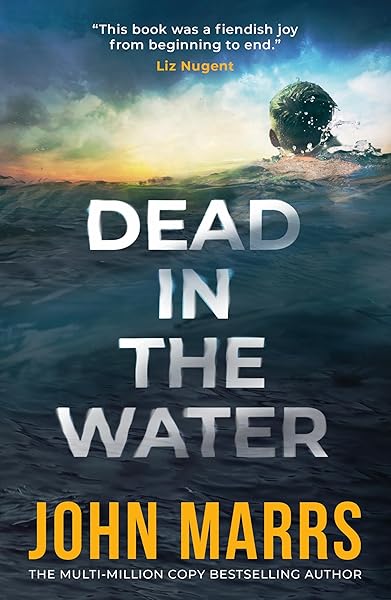

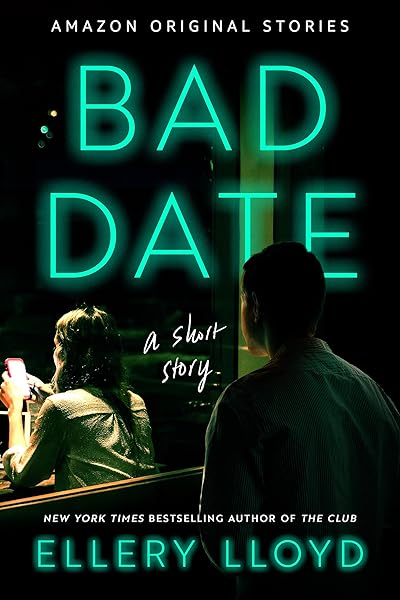
AI cover generators are most powerful when you feed them genre-specific conventions. Here are the patterns from our 2,500+-book analysis that AI handles well.
Romance conventions: Warm color palettes (blush, gold, dusty rose), script or display serif title fonts, soft lighting, intimate compositions. Romance covers average 414 pages and readers in this genre are extremely convention-sensitive — the cover must look like a romance novel within the first half-second. AI can generate stunning romantic environments (Parisian balconies, coastal sunsets, cozy interiors) that match these expectations perfectly.
Fantasy conventions: Rich color palettes (deep purples, golds, emerald greens), classical serif or blackletter fonts, atmospheric environments, dramatic lighting. With an average page count of 469 pages and an average price of $11.67, fantasy readers accept higher prices — and expect proportionally higher visual quality. AI excels at the sweeping landscapes, magical atmospheres, and dramatic lighting that define the genre.
Thriller conventions: Dark palettes (black, deep blue, red accents), condensed bold sans-serif fonts, single focal element, high contrast. The typical thriller at 350 pages and $8.86 needs a cover that screams urgency and danger. AI handles these stark, moody compositions naturally — single silhouettes in urban environments, rain-slicked streets, ominous doorways.
Horror conventions: Desaturated palettes, distressed or gothic fonts, atmospheric fog/shadow, unsettling imagery. Horror readers on KU (60% of the genre) scroll through thumbnails fast — the cover needs to communicate "creepy" at 200px. AI-generated atmospheric horror imagery (abandoned houses, foggy forests, shadowy figures) is virtually indistinguishable from stock-photo-based alternatives.
How to Evaluate an AI Cover Generator
Not all AI cover generators are equal. Here's what to look for when choosing a tool.
Typography engine vs text-in-image. The most critical distinction. A proper AI cover tool uses real fonts rendered by a composition engine — not AI-generated text baked into the image. Ask yourself: can you change the font after generating the image? If yes, the tool has a real typography layer. If the title is part of the generated image, the tool is fundamentally limited.
Genre awareness. Does the tool understand that a romance cover looks different from a thriller? A good generator adjusts its prompts, color palettes, and typography defaults based on your genre. A basic tool gives you the same output regardless of genre.
Variation generation. You should be able to generate multiple variations from the same concept and choose the best. Cover design is inherently subjective — the first generation is rarely the best. Tools that give you 4-8 variations per prompt let you cherry-pick quality.
Export quality. Amazon KDP requires covers at 2560x1600px minimum for ebooks and higher for print. The tool must output at sufficient resolution for your format. Some tools generate at 1024x1024 and upscale — check whether the upscaling introduces artifacts.
Customization after generation. Can you adjust the title position? Change the font? Modify the color overlay? A good tool lets you refine after generation without starting over. The best ones provide a canvas editor where you can drag elements, swap fonts, and fine-tune the composition.
When to Use AI vs When to Hire a Designer
Here's the decision framework we recommend based on our data analysis and industry experience.
Use AI when:
You're publishing your first book and haven't validated market demand yet. Risk should be proportional to certainty. Until you know your book sells, keep cover costs under $10.
You're writing in a genre where AI excels (fantasy, sci-fi, thriller, horror, literary fiction). The visual conventions in these genres align with AI strengths.
You're publishing a series and need consistent, affordable covers. Five AI covers with matching typography and style = $15-25. Five custom designs = $2,500+.
You're testing multiple concepts or sub-genres. AI lets you generate cover concepts in minutes, test them with your audience, and iterate without sunk cost.
You need a cover fast. AI generators produce results in seconds to minutes. Designers take days to weeks.
Hire a designer when:
Your book is already earning consistent revenue and you want to maximize its potential with a cover rebrand. The investment has a measurable expected return.
Your genre demands specific character illustrations (certain romance sub-genres, middle-grade, YA with character-centric covers).
You're building a recognizable brand and need covers that no AI can replicate — a distinctive illustration style that becomes your visual trademark.
You've got publisher distribution and need a cover that competes with traditionally published books at full bookshelf size, not just thumbnails.
The hybrid approach: Many successful indie authors start with AI covers to validate their books, then reinvest profits into designer rebrands for proven sellers. This eliminates the risk of spending $500+ on a cover for a book that doesn't find its audience.
Try the AI Cover Generator — create your first cover in under 60 seconds
Fantasy bestsellers — the quality bar AI must meet
On Wings of Blood: A Novel (Bloodwing Academy Book 1)
Rain of Shadows and Endings (The Legacy)
A Tongue so Sweet and Deadly (The Compelling Fates Saga)
Shield of Sparrows: An Enemies-to-Lovers Epic Romantasy
We Who Will Die: An Epic Romantasy of Forbidden Love, Deadly Secrets, and Vampires in a High-Stakes Arena, Discover a Vividly Reimagined Ancient Rome (Empire of Blood Book 1)
The Ascended (The Aesymarean Duet)
Hollow (Crown of Hearts and Chaos Book 1)
Eldritch (The Eating Woods)
The Bond That Burns: A Novel – A Spicy Romantasy and Dark Shifter Academy Story (Bloodwing Academy Book 2)
Fearless (The Powerless Trilogy)
Getting the Best Results from AI Cover Tools
Whether you use Dear Pantser or another AI cover generator, these principles will improve your results dramatically.
1. Study your competition first. Before generating anything, look at the top 20 bestselling covers in your specific sub-genre. Not your genre — your sub-genre. Screenshot them. Note the colors, fonts, imagery style, and layout. Your AI-generated cover needs to look like it belongs on the same shelf. Use our market analyzer to study your genre's top performers.
2. Describe mood, not plot. "A woman discovers she's a witch and must save her village from a dark curse" is a plot summary, not a cover prompt. "Mystical forest clearing at golden hour, ancient stone circle, warm amber light filtering through mist, single cloaked figure viewed from behind" is a cover description. AI responds to visual descriptions, not narrative ones.
3. Generate many, pick few. Each generation costs pennies. Generate 8-12 variations and ruthlessly eliminate everything except the 2-3 strongest options. Then refine those. The best AI cover is never the first one generated.
4. Typography makes or breaks it. The background image is half the cover. The typography is the other half. A stunning image with poor font choices looks amateur. A decent image with genre-appropriate, well-kerned, properly sized typography looks professional. Invest your attention in the text layout.
5. Test at thumbnail size. Export your final cover and shrink it to 200px wide. Can you read the title? Does the genre register instantly? If not, go back and fix it. Read our complete thumbnail optimization guide.
6. Get external feedback. You've been staring at your cover for hours. You can no longer see it objectively. Show it to 5 people who read your genre and ask: "What genre is this book?" and "Would you click on this?" Those two questions reveal more than any design critique.
Create your cover now — AI-powered, genre-aware, print-ready
Try These Ideas on Your Cover
Open the cover editor and preview fonts, colors, and layouts on your book cover.
Open Cover EditorRelated Articles
Cost, speed, quality, and uniqueness — a data-driven comparison of AI-generated book covers vs traditional designer covers. With real numbers and blind test results.
How color drives book purchase decisions — backed by bestseller data. Genre-specific color palettes, common mistakes, and the psychology behind why certain colors sell.
A data-driven breakdown of DIY, premade, AI, and custom designer book covers — real costs, time investment, quality comparison, and ROI calculations for indie authors.